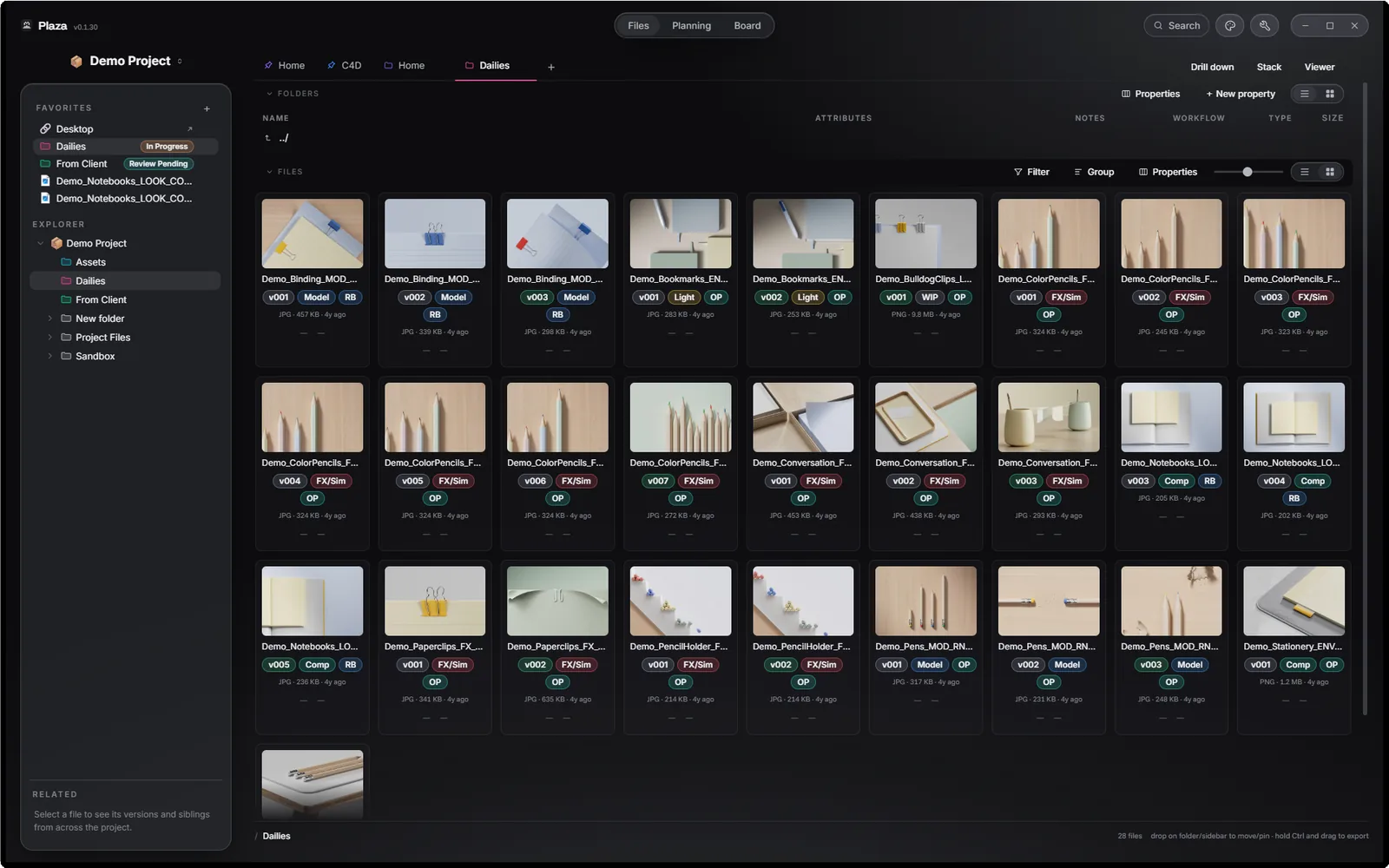
Files: the visual database
Files mode works like your usual file browser. Except it has a ton of powerful features. Quick look, attributes, tags, pins, stacking, drill down, compare, and more.
For 3D, motion and design studios
Point Plaza at any folder and it becomes a visual database, a planning board and a moodboard. Over your real files, right where they are.
14-day trial · no email, no account
Robot_Binding_ANIM_RB_v014.c4d. You know exactly what that means. Your file browser doesn't. So the meaning stays with you: you eyeball version numbers in Finder, scroll for the latest render, and answer "which one is current?" from memory.
Plaza reads the naming convention you already use and turns it into live, filterable columns: Version (current vs. superseded), Stage, Owner, Shot. Nothing is written to your files. Nothing is imported. It was always a database — now it looks like one.
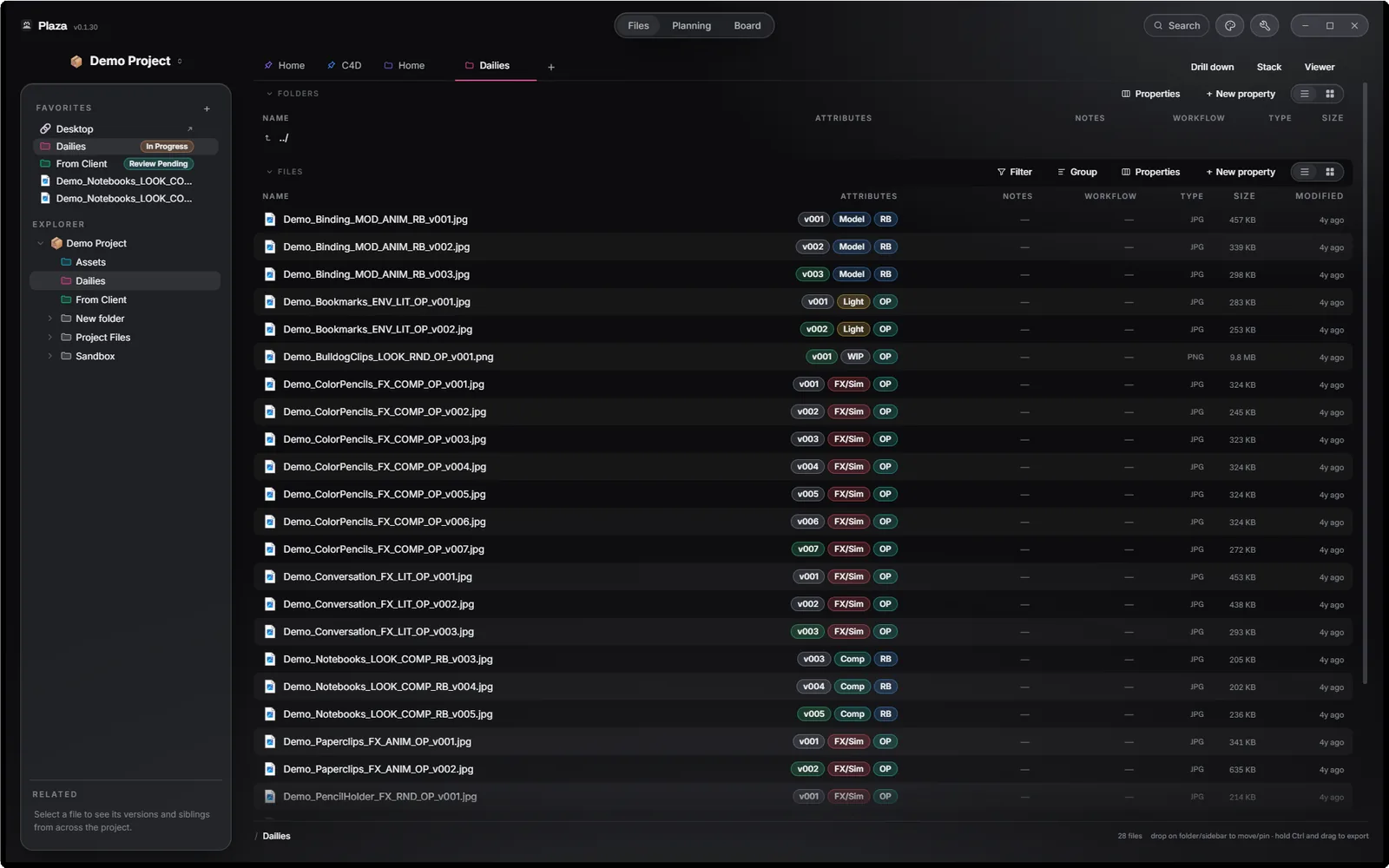
Three modes, one folder
Plaza never copies or moves anything. Switching mode changes how you look at the folder, not what's in it.
Files mode works like your usual file browser. Except it has a ton of powerful features. Quick look, attributes, tags, pins, stacking, drill down, compare, and more.
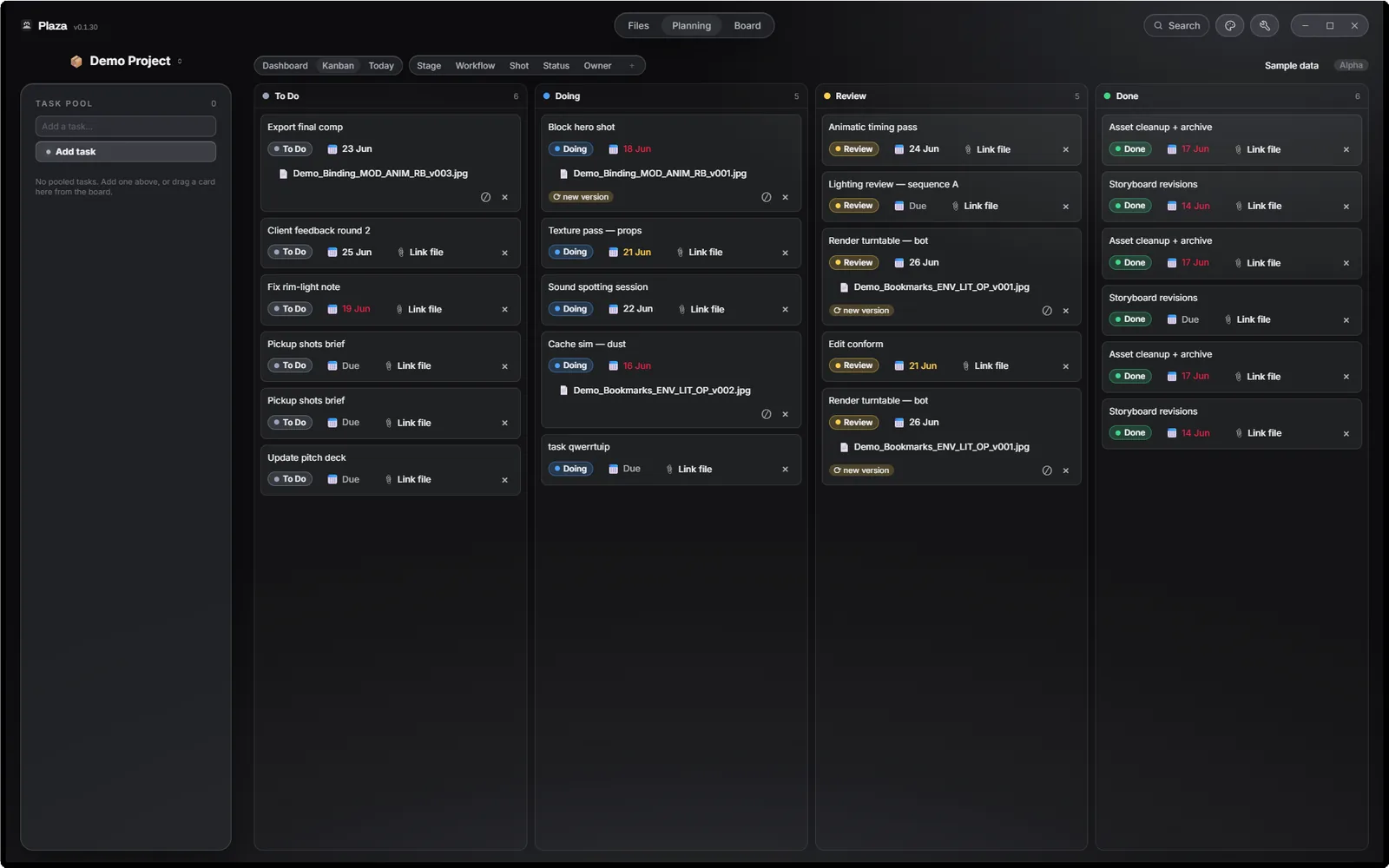
A project dashboard, a Kanban you can group by stage, shot or person, and week and month calendars. All can point to real and latest versions of your assigned files.
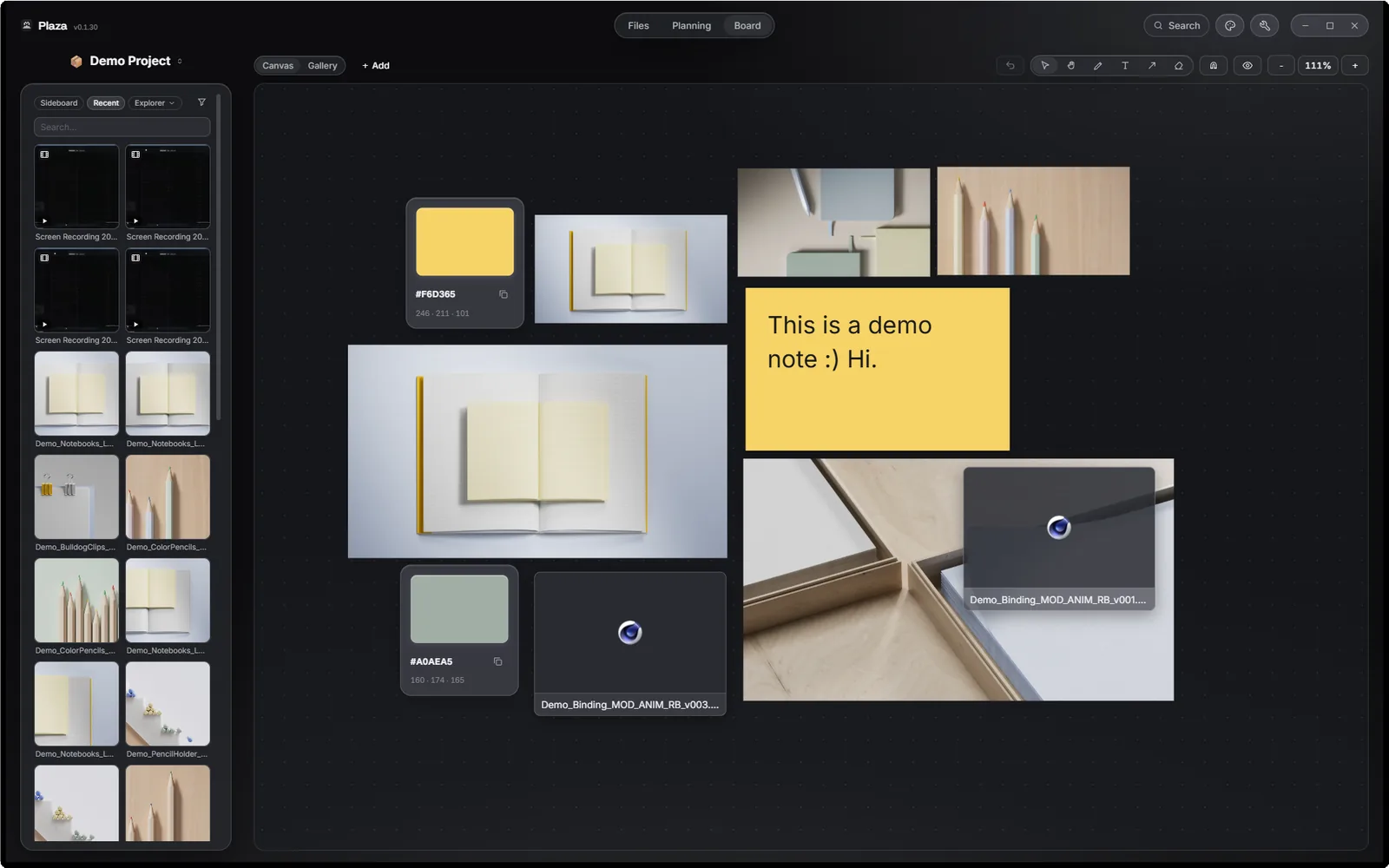
Drop references, notes, links, hex codes and project files onto an infinite canvas. Draw and annotate. File cards reference your real files without copying them, and self-heal after renames.
It's your app
Everything Plaza knows lives in one hidden .plaza/ folder inside your project. Put the project in Dropbox or Drive like you already do, and your tags, boards and tasks arrive on your other machine — or your teammate's — intact. Windows ↔ macOS, no export, no "workspace", no subscription keeping your metadata hostage.
Delete Plaza tomorrow and your files are exactly as they were. That's the deal.
Works offline — fonts and all, the app never needs a network to open your work.
Dropbox, Google Drive, or none at all. We don't see a byte of it.
Stable ids survive renames and moves, so metadata follows the file, not the path.
One hidden folder. Remove it and it's like Plaza was never there.
Previews
Real thumbnails for EXR and HDR (tone-mapped), Cinema 4D files, PSD, AI, RAW, SVG, video and audio. Image sequences can collapse to a single tile with a frame count and gap warnings. Version stacks collapse to the latest with a badge. Press Space for fullscreen Quick Look.
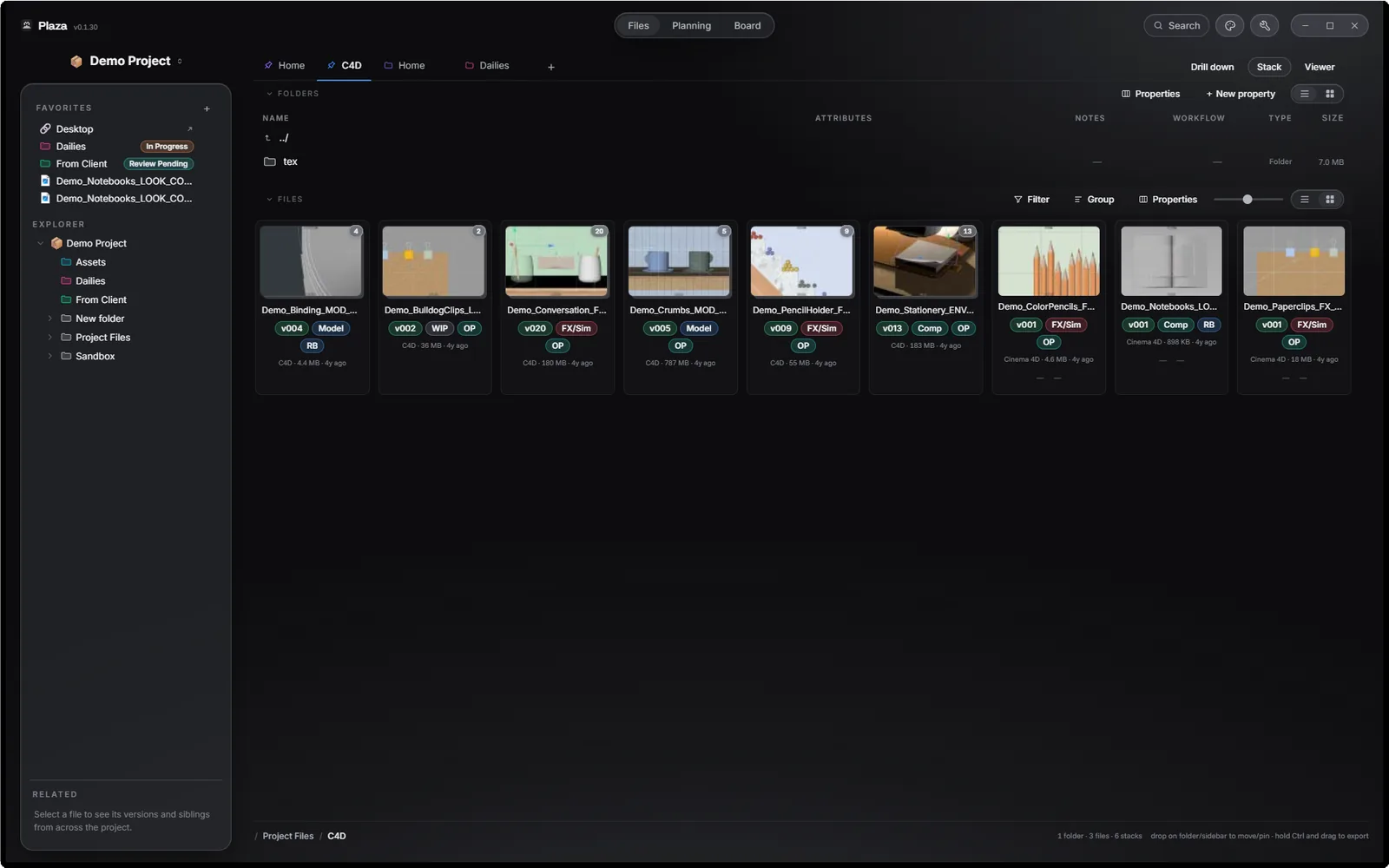
Frame sequences and vNNN version families collapse to one stacked tile, making it more accessible and decluttering.
Side-by-side, wipe, onion skin and a difference mode that makes subtle differences glow when comparing images or videos.
A smart "related" tab will show you an image's project file, and vice versa, using its filename recursively.
Midnight, Cocoa and Nord in the dark; Snow and Cream in the light. Custom accent colours for the app.
Search
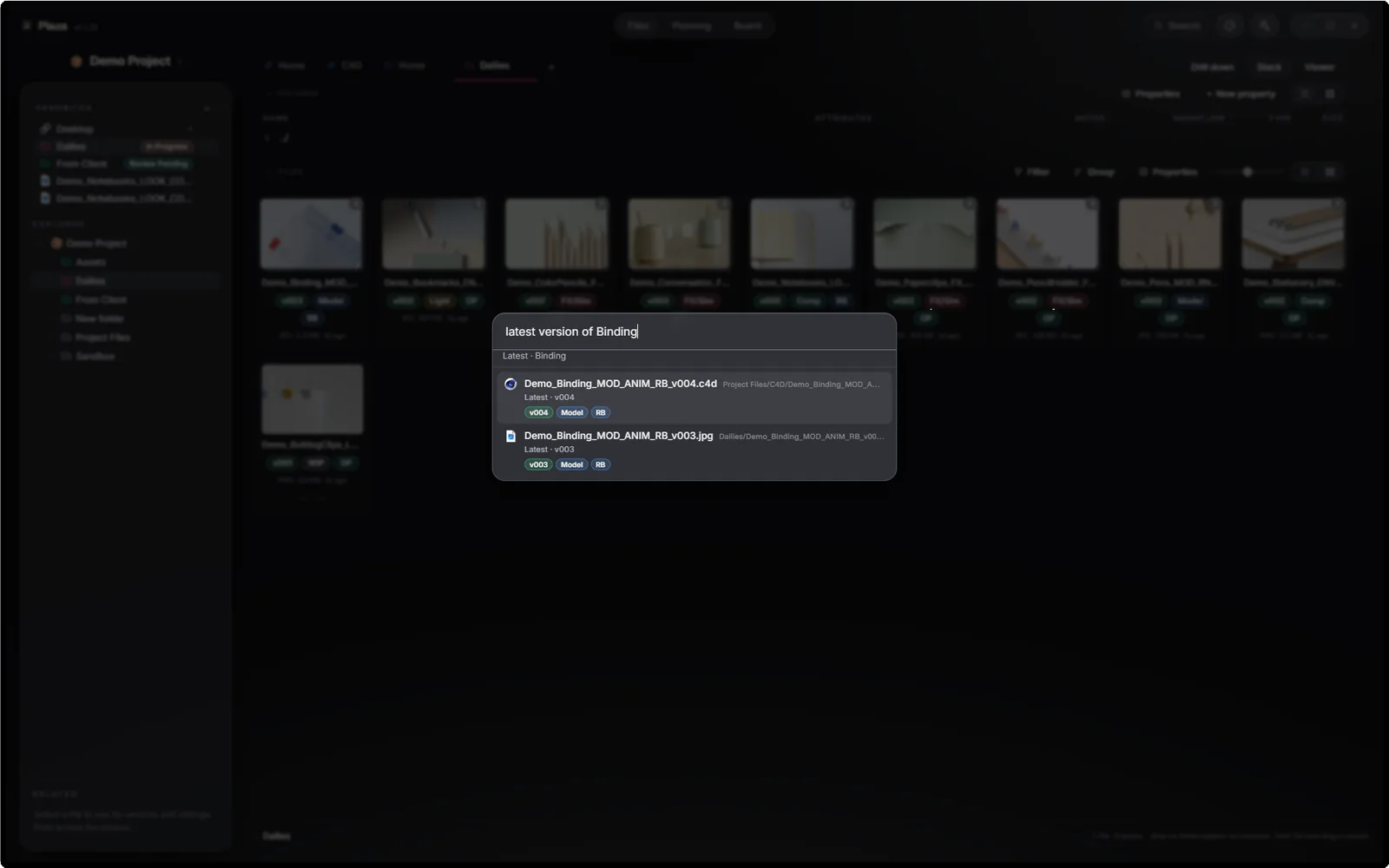
⌘K (or Ctrl+K) opens a search that understands your project the way you do: latest: binding, type:video modified: last week, in: renders comp. Copy plaza:// deep links that let you point a teammate at the exact file, rename and location-proof.
Optional AI, on your terms
Plaza can optionally (off by default) act as a local MCP server, so Claude, Cursor and other assistants can answer "what's the latest version of shot 040?" or "what's still in Review?" from your real project. Read-only by default as well, and it never leaves your machine. An optional extended mode lets an assistant tag files and create tasks, but never move, rename, delete or write your actual files.
Run it free for 14 days without an email, or account. If it has already saved plenty of time and effort, $49 keeps it for good.
No subscription. No account. Full refund within 14 days, no questions. If you never pay us again, the app — and every byte of your metadata — keeps working.
FAQ
Never on its own. Plaza reads your files and writes only to the hidden .plaza/ folder. File operations — move, rename, trash — happen only when you do them, and deletes go to the Recycle Bin on Windows or a recoverable trash on macOS.
The app locks until you enter a licence key. Your files and .plaza/ metadata are untouched — nothing is held hostage, and you can keep using your file browser like you did before Plaza.
Two per licence. Moving to a new machine is self-service: Settings → License → Deactivate this device frees the seat, and you activate on the new one. No need to email anyone, and there's no limit on how often you do it.
Full refund within 14 days, no questions — hello@secondmarch.xyz. The 14-day trial is there so you can decide before paying at all, and it's the whole app, not a cut down version.
Yes! And that's a big part of Plaza: share the folder through Dropbox or Drive. Tags, statuses and boards sync as small per-item files designed to tolerate sync engines, and teammates' changes appear live in your open window. If you prefer to keep your own private view, per-machine ("Private") metadata is a project option.
No. The parser is configured per project: your separator, your stage dictionary, your pattern. Turn it off entirely and Plaza is still a tagging, planning and moodboard layer over your files.
Plaza treats placeholders as sacred: it never downloads a file behind your back. Browsing, indexing and thumbnails don't hydrate anything. Only explicit actions like Open, Download, Compare, Quick Look... read bytes.
Windows 10/11 and macOS (Apple Silicon and Intel), one licence. Linux: not yet.
None from the app. The only servers Plaza itself talks to are licence validation and the update check. One honest nuance: pasting a link onto a Board fetches that page directly from your machine to build the preview card, which is a request to a site you chose, and never passes through us.